
See the question and solution clearly
Capture one question from homework or a test, confirm its boundaries, and review the solution steps and feedback on the student’s work.
Explore photo solutions →Scan a homework question, understand the solution and where you went wrong, then save it for focused review and practice. Cardify keeps the question, your work, and the explanation together.
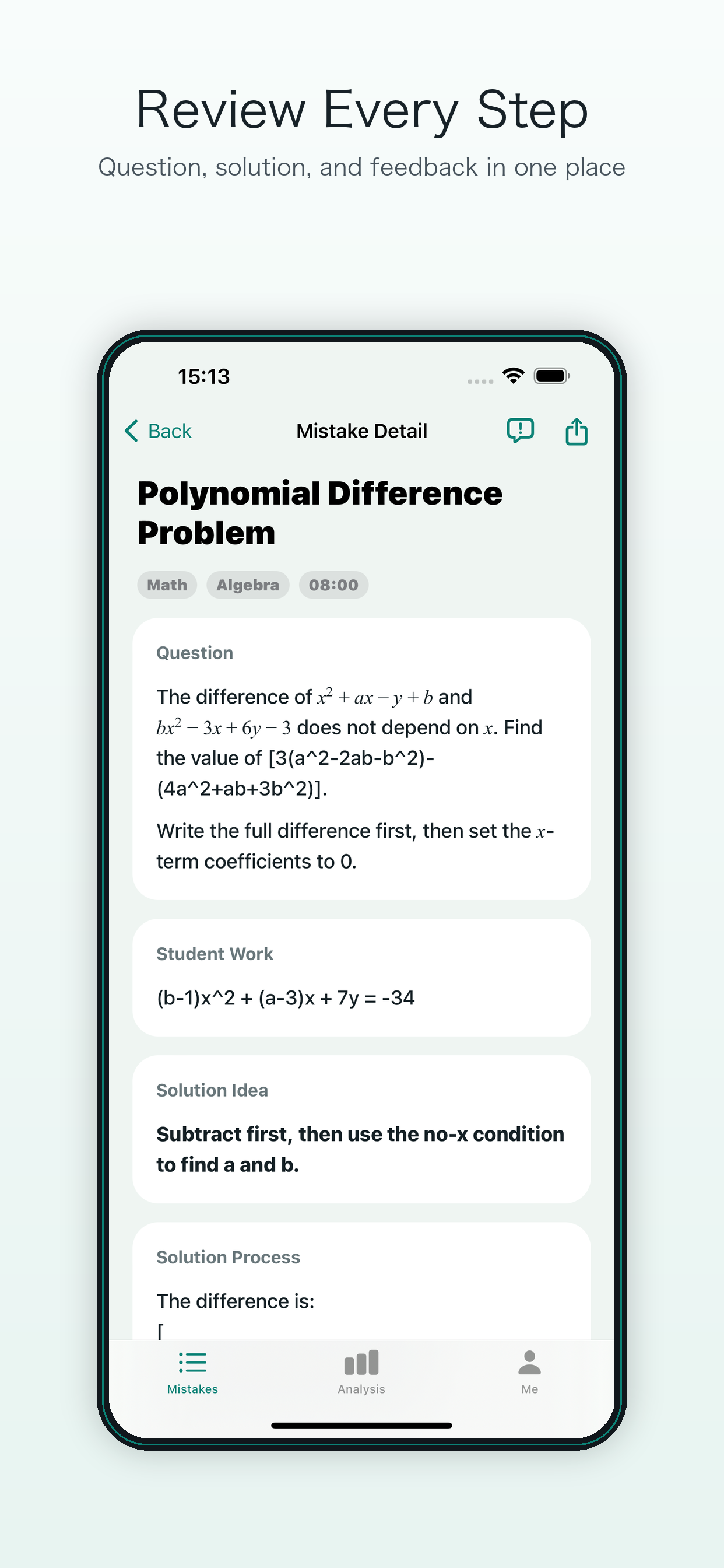
The image shows a real Cardify mistake-detail screen.
Understand a question first, save it in your study notebook, then revisit the weak topic with focused practice. Choose the path that fits your task.
Capture one question from homework or a test, confirm its boundaries, and review the solution steps and feedback on the student’s work.
Explore photo solutions →Save mistakes by subject and topic, revisit the original question and explanation, and print selected questions when needed.
Explore mistake organization →Find recurring topics that need practice in your saved questions, revisit the explanation, and use focused practice to check understanding.
Explore focused review →Capture or import the question, preserving the prompt, work traces, and necessary context.
AI identifies the question, concepts, mistake reason, and solution steps so the problem is clear first.
Save mistakes by subject and topic so the original question, work, and explanation are easy to find.
Practice a topic you need to work on or print selected questions to return to paper-based study.
Cardify keeps the question, student work, solution, and topic together so the next practice step is easier to see.
Compare the question, original work, solution steps, and mistake feedback in one place. If recognition or a solution is incorrect, submit an AI correction.
See where mistakes cluster by subject and topic.
Review a topic, practice it, or print selected mistakes.
Review around the same concept and mistake reason instead of mechanically redoing full worksheets.
Review mistakes and practice progress by subject and topic to see what needs attention next.
Families can understand learning patterns from saved questions and topic summaries, not just scores.
See how Cardify turns a traditional study notebook into trackable review actions.
See how selection, recognition, and explanation turn paper mistakes into reviewable records.
Use feedback and topics to choose the next focused review step.
Use Cardify when you want to keep learning after you see the answer. Scan a question, check the explanation against your work, and save it by subject and topic. Return to the questions you missed before your next study session.
Prefer to start on paper? Use the free printable study mistake log template. Cardify is free to download with optional in-app purchases; see the App Store for current pricing.