
Recognize the question
Clarify the prompt and conditions so students can see where confusion started.
Homework scanner app
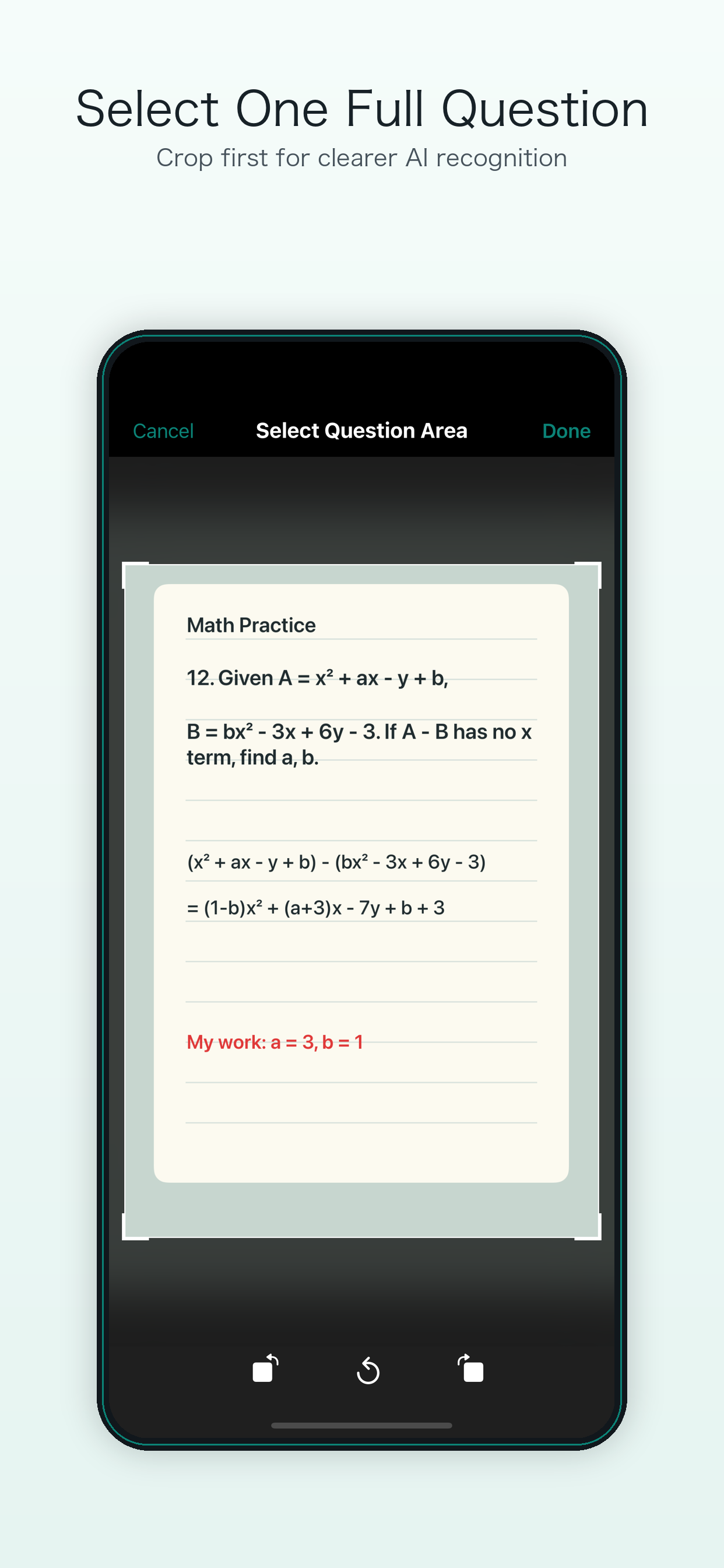
Take a photo or choose an image, then select one complete question and your attempt. Cardify organizes the question, solution steps, and available feedback so you can study it again later.
Three-step flow
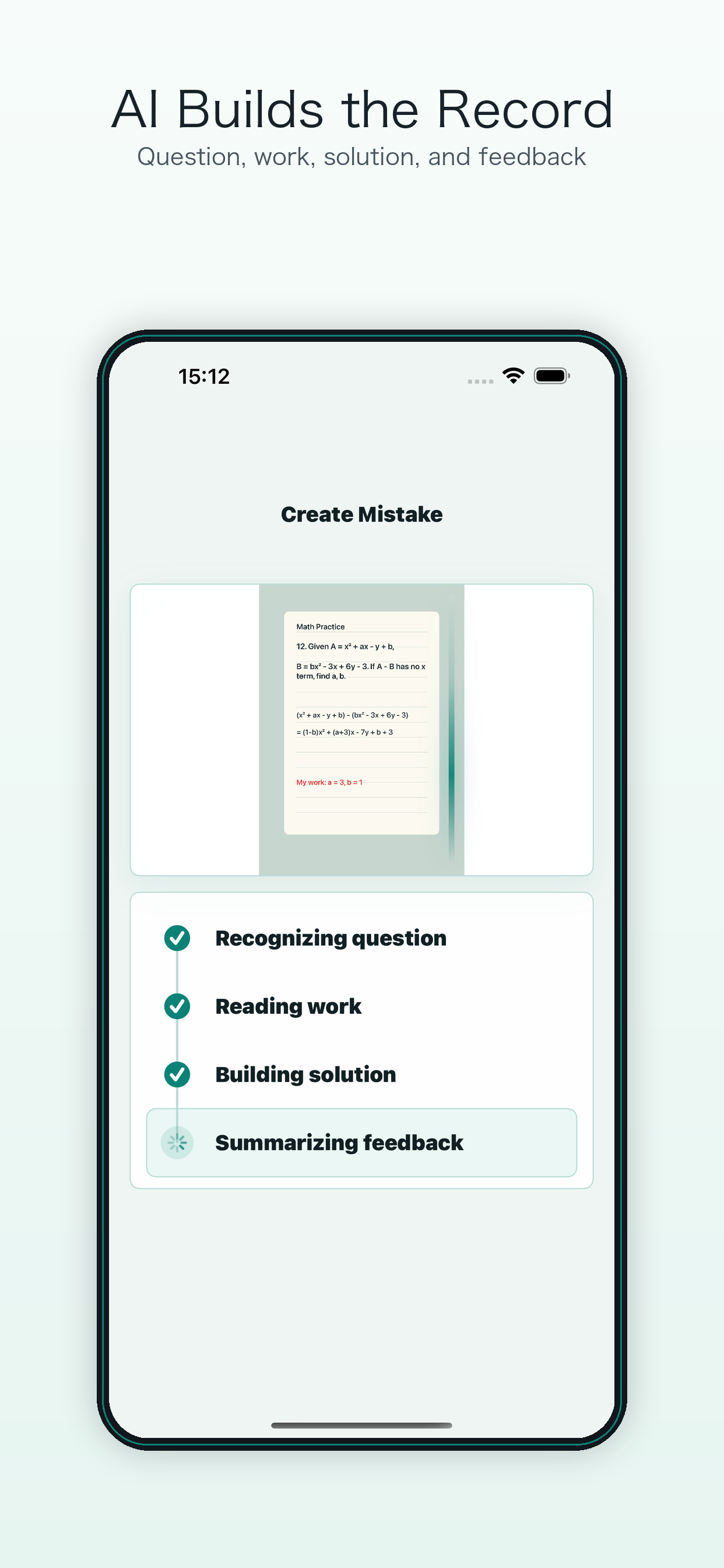
Students often capture a worksheet, test page, or board. Cardify clarifies the question boundary first, then runs AI recognition and summary so review does not become a pile of vague screenshots.
Why not just OCR
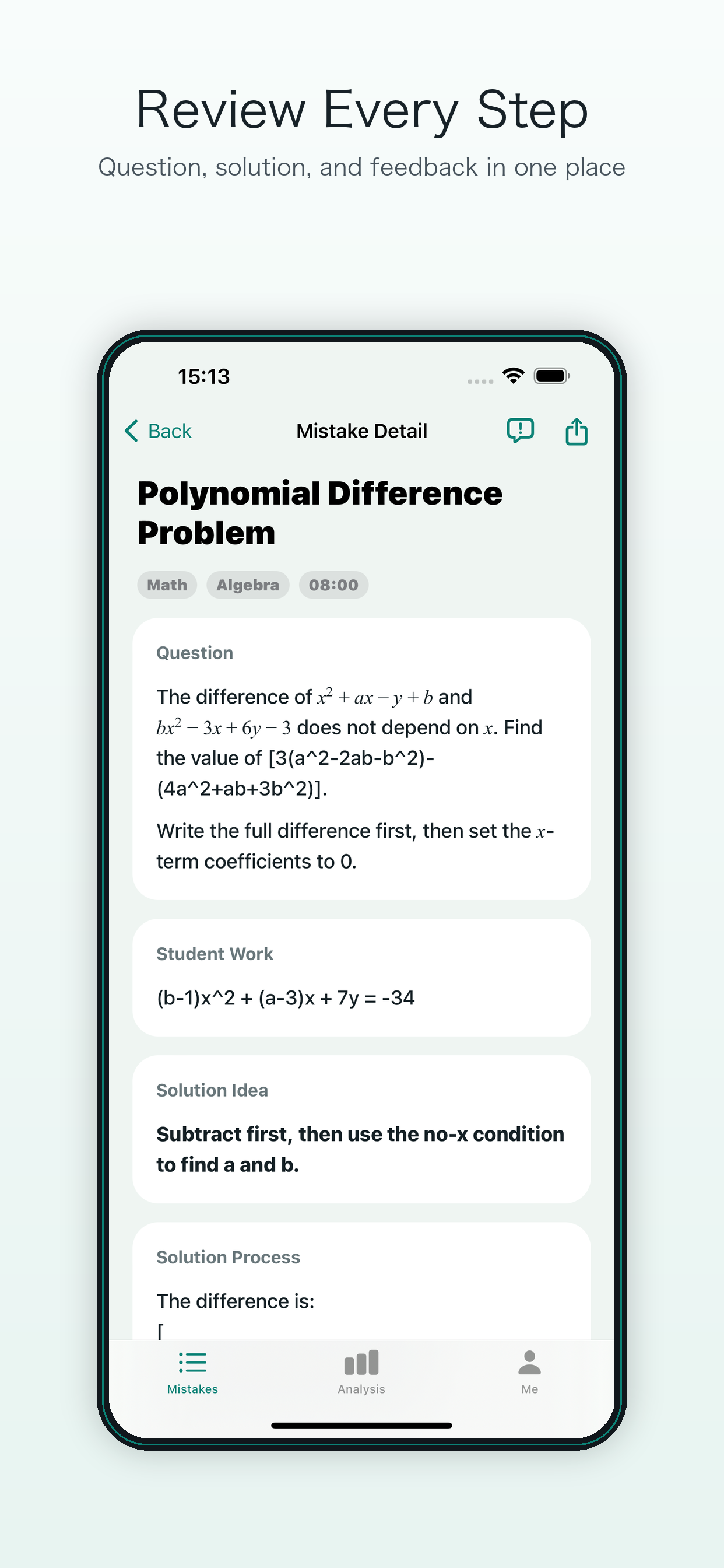
A mistake includes the prompt, student work, solution steps, error reason, and concept. Cardify designs photo capture around that context instead of only extracting text.
Select one full question to reduce interference from neighboring problems and unrelated text.
Preserve the student calculation, choice, or scratch work so feedback targets the real mistake.
The organized record can move into the study notebook and focused review instead of stopping as a photo.
After generation
Clarify the prompt and conditions so students can see where confusion started.
Give feedback around the submitted work, not only the standard answer.
The record enters the notebook and can be revisited by subject, concept, and time.
FAQ
No, but a complete question area makes recognition and feedback more stable. The crop step helps AI see the right context.
You can capture a page, but selecting one question first is better. One mistake at a time makes the review action more specific.
Explore
This workflow focuses on selected questions and their review records. It should not be treated as a promise of automatic full-page grading or perfect answer accuracy.
Save the question in your study mistake log, then follow the missed-question review guide. You will need the iPhone or iPad app to scan; this website explains the workflow.